
Holiday Calendars Set Up Once And Managed Automatically
Define public holidays, regional variations, and custom off days so the entire workforce stays aligned without any back and forth

Holidays Handled Without The Hassle

Custom Holiday Calendars
Create and assign different holiday lists for different branches, regions, or departments.

Automatic Payroll Sync
Holidays reflect in payroll calculations automatically without any manual adjustment.

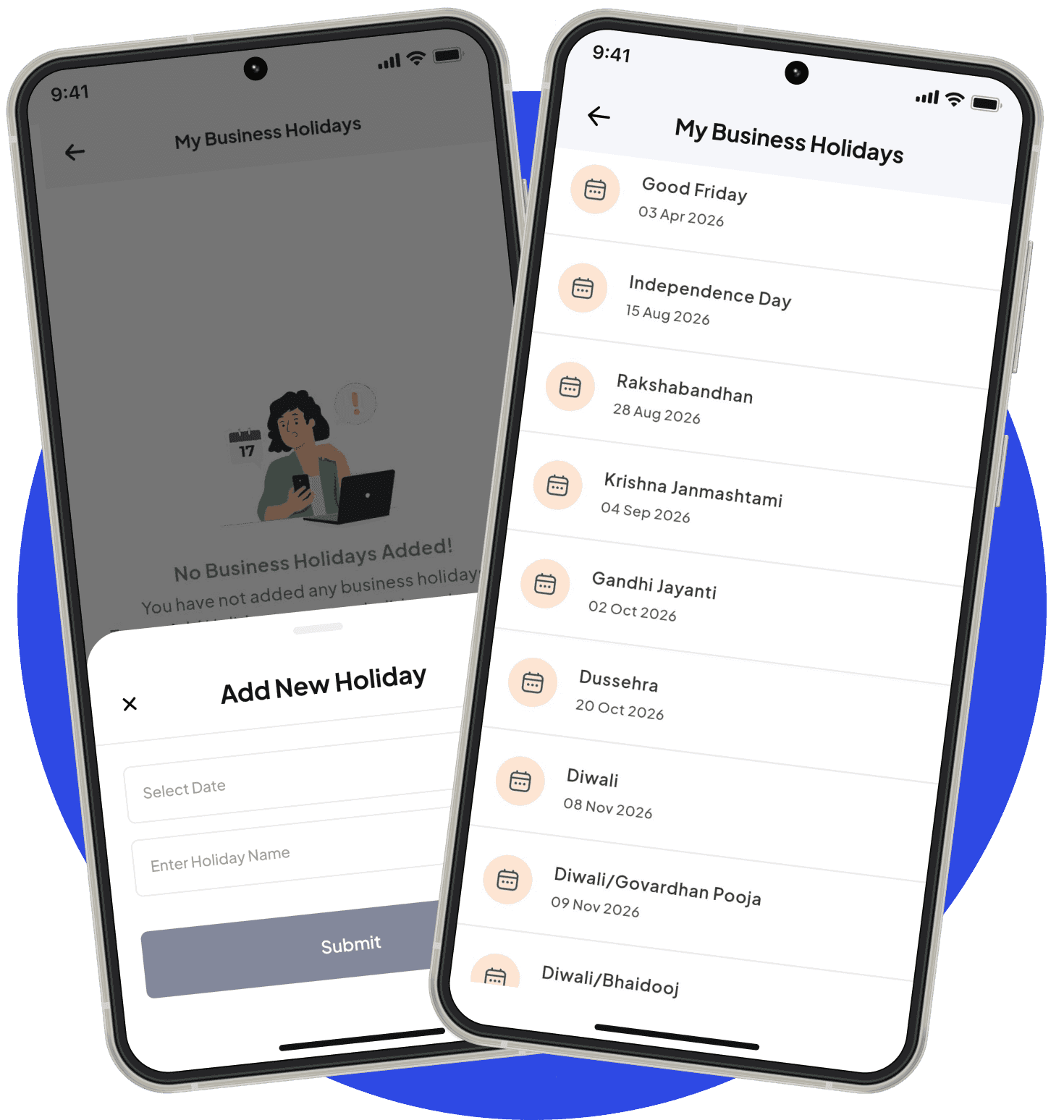
Employee Visibility
Every employee can see upcoming holidays directly from the SuperManage app.
No More Holiday Confusion. Across Every Team And Location.
Managing holidays gets complicated the moment a business operates across multiple states or regions, each with its own set of public holidays. Sending out emails, updating spreadsheets, and manually adjusting payroll for each variation is time that adds up quickly. SuperManage lets administrators set up region-specific holiday calendars once, assign them to the right teams, and let the system handle everything from there.
From attendance to payroll to leave balance calculations, every part of the system respects the holiday calendar automatically. Employees always know which days they have off, and HR never has to manually correct a payroll cycle because of a missed holiday.
Clarity For Every Team, Across Every Location

Create and Publish Company Holiday Calendars
Set up a complete holiday calendar for the organisation with all relevant dates. Published once and visible to all applicable employees automatically.
- Add national, state, and company-declared holidays
- Set holiday names, dates, and applicable employee groups
- Publish updates without requiring employee action

Employee Visibility into Upcoming Holidays
Employees can see their applicable holidays directly in the app without asking HR. Reduces repeated queries and improves planning.
- Holiday list visible in the employee self-service view
- Upcoming holidays highlighted for easy reference
- Helps employees plan leaves around holiday periods

Location or Department-wise Holiday Configuration
Different offices and teams can have different holiday lists based on region or function. Manage all variations from a single admin panel.
- Configure separate holiday lists per location or department
- Handle regional holidays for multi-city operations
- Apply changes to specific groups without affecting others

Holiday List Exports for Payroll and Planning
Holiday data can be exported and used for attendance calculations, payroll processing, and workforce planning across cycles.
- Export holiday calendars in standard formats
- Feed holiday data into attendance and leave systems
- Useful for HR reporting and annual planning
Frequently Asked Questions
Yes. SuperManage allows multiple holiday calendars to be created and assigned to specific teams, branches, or regions based on their location.
Yes. Once a holiday is added to the calendar, it is automatically factored into payroll calculations for that cycle.
Yes. Administrators can mark certain days as optional holidays, giving employees the choice to take them or treat them as working days.
Yes. The full holiday list is visible to every employee through the SuperManage mobile app so they can plan accordingly.
Yes. If a holiday falls within an approved leave period, it is excluded from the leave count automatically.