
Expenses Submitted, Approved & Reimbursed
Employees log expenses on the go, managers approve with one tap, and finance has everything it needs for processing, all in one place.

Expenses That Process Themselves

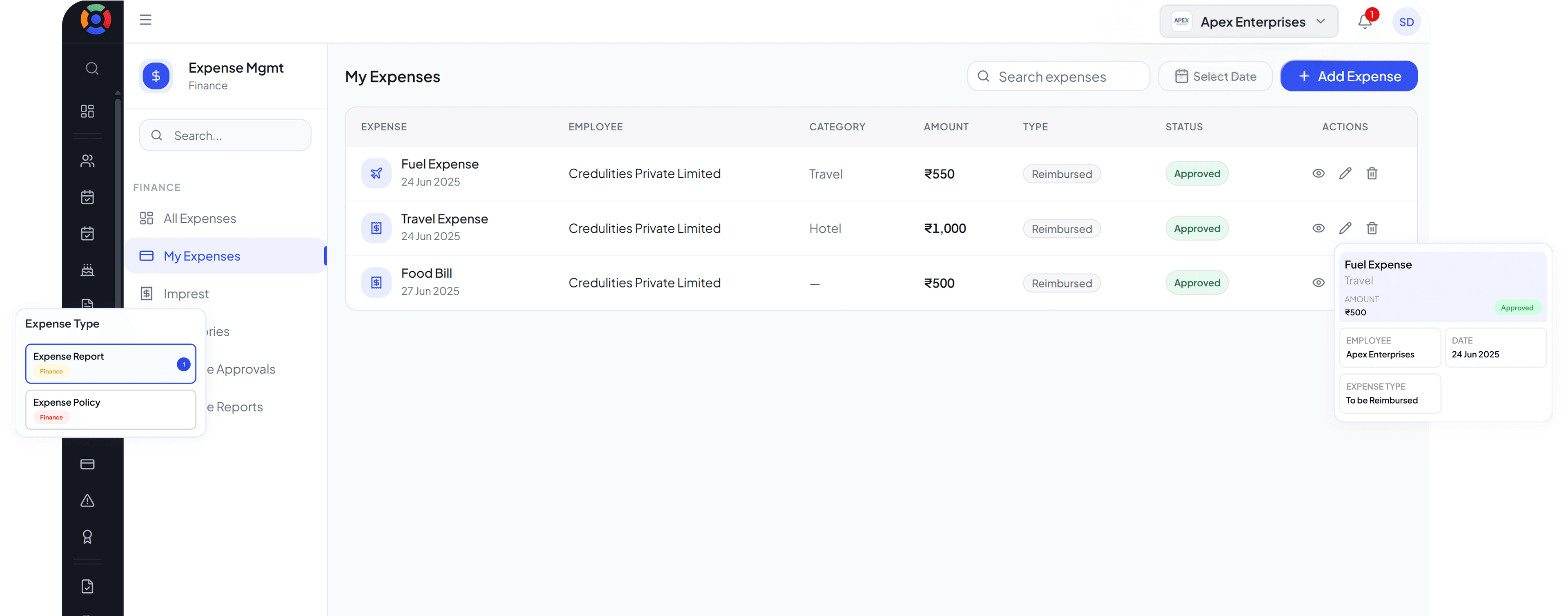
Mobile Expense Logging
Employees capture and submit expenses with receipts from their phone the moment they are incurred.

Structured Approval Flow
Every expense goes through a defined approval chain before it is processed for reimbursement.

Reimbursement Tracking
Finance and employees can both track the status of every expense claim through to reimbursement.
No More Lost Receipts Or Late Reimbursement Claims
Expense management breaks down when it relies on employees collecting paper receipts, filling out forms after the fact, and submitting claims that then sit in someone's inbox. By the time an expense is approved and reimbursed, weeks may have passed and half the receipts are missing. SuperManage removes every point of friction from the process by letting employees submit expenses the moment they are incurred, with receipts attached digitally.
Every submission goes through the configured approval flow and every approved claim is tracked through to reimbursement. Finance has a clear, structured record of all expenses without needing to chase anyone for information, and employees are never left wondering when they will be paid back.
₹40,00,000
Expenses Recorded
Fully compliant with local labor laws & tax rules.
Every Expense Submitted, Approved, and Reimbursed on Time
A structured expense workflow that gives finance accurate data and employees timely reimbursements without the back and forth.
Clean Expense Management From Start to Finish

Receipt Capture
Employees photograph and attach receipts to expense submissions directly from the app, eliminating lost paperwork.

Category and Project Tagging
Tag each expense by category or project for organised reporting and accurate cost allocation.

Expense Policies
Set spending limits and category rules so any submission that falls outside the policy is flagged automatically.

Expense Reports
Generate detailed expense reports by employee, department, category, or time period for finance and management review.

Log and Submit Instantly.
- Capture receipts from any device in seconds
- Submit expense claims without paper forms
- Track every claim through to reimbursement
- Generate expense reports with a single action

Expense Control and Compliance
- Approval workflows enforced before any claim is processed
- Policy limits flagged automatically on every submission
- Full expense history for every employee
- Audit-ready records for every expense event
Everything Inside Expense Management, Explored In Detail
Mobile Expense Logging
Employees submit expenses with attached receipts from their phone the moment they are incurred so nothing is forgotten or lost.
Explore Mobile Expense LoggingStructured Approval Flow
Every claim passes through the configured approval chain before it is processed, so no expense is reimbursed without the right sign-off.
Explore Structured Approval FlowReimbursement Tracking
Both employees and finance can see the live status of every expense claim from submission through to reimbursement.
Explore Reimbursement TrackingReceipt Capture
Receipts are photographed and attached at the point of submission so no paper is collected, stored, or lost.
Explore Receipt CaptureCategory and Project Tagging
Each expense is tagged by category and project so cost reporting is accurate and allocation is always traceable.
Explore Category and Project TaggingExpense Policies
Spending limits and category rules are enforced automatically so any out-of-policy claim is flagged before it reaches the approver.
Explore Expense PoliciesExpense Reports
Detailed reports by employee, department, category, or time period are available on demand for finance and management review.
Explore Expense ReportsReimbursements Should Not Take Three Weeks and Four Follow-Ups
Slow expense processing frustrates employees and creates unnecessary admin work. SuperManage gives every claim a clear path from submission to reimbursement.
Book a Free Demo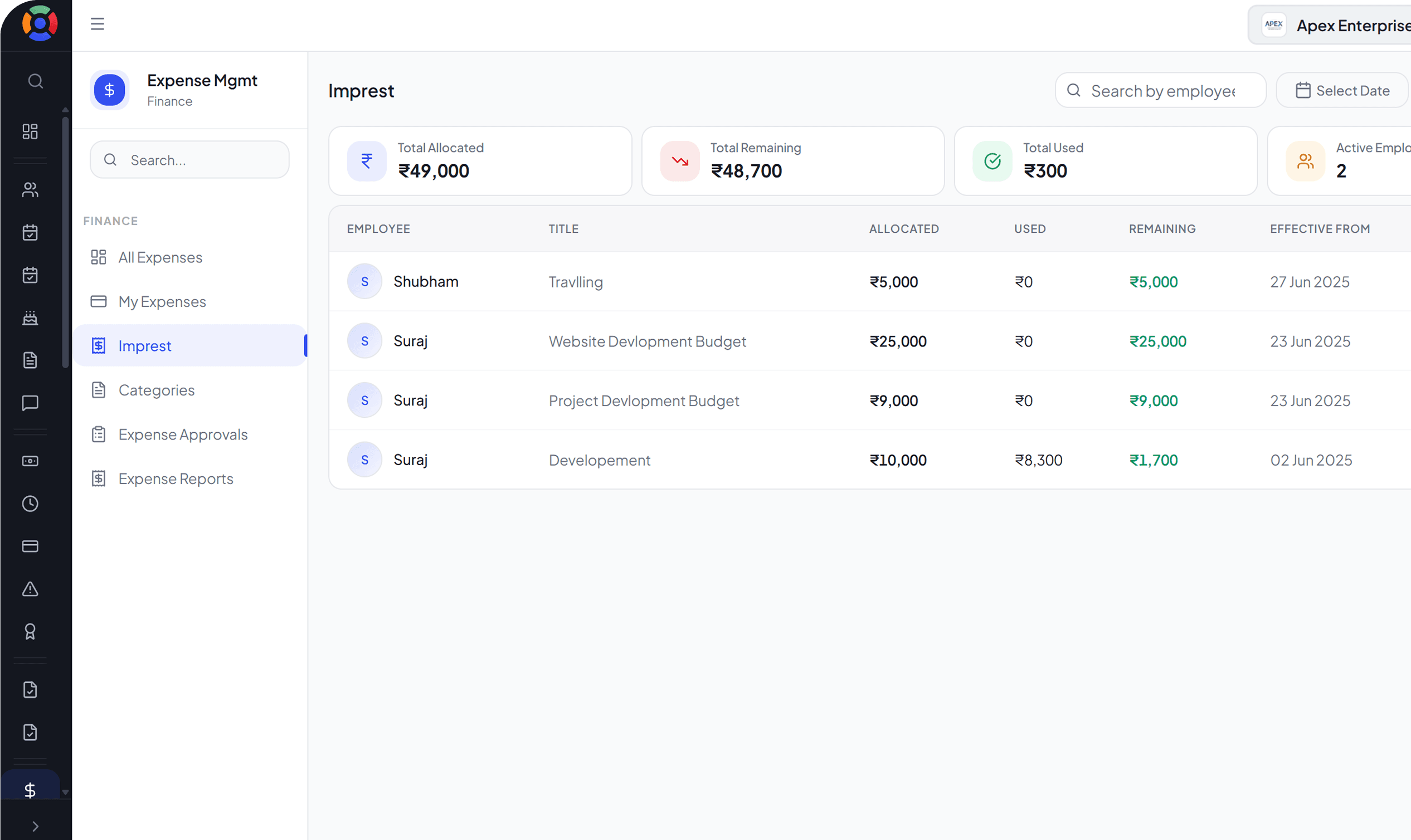
Your Expense Management Questions, Answered.
Employees log expenses through the SuperManage app, attach a photo of the receipt, and submit the claim for approval directly from their phone.
Approval workflows are configured by the business. Claims are typically routed to a line manager, department head, or finance approver depending on the amount and category.
Yes. Spending limits and category rules can be configured so any claim that exceeds the policy is flagged or blocked before it reaches the approver.
Yes. Each expense can be categorised and tagged to a project or cost centre for accurate reporting and cost allocation.
Yes. Employees can see the current status of every submitted claim, from pending approval to reimbursed, directly from the app.
Yes. Expense reports can be exported in standard formats for use in accounting systems or financial reviews.
No. The system can handle any volume of expense submissions across the entire workforce without any restriction.